Posts
-
Update
This blog is long since retired. I’ll keep it up here as a record and resource, but any new posts will be on https://bit-101.com/blog
If you want the blog that existed here from 2017 to 2013, you can find that here: https://bit-101.com/2017
Read more... -
Dell XPS 13, one year later
I don’t want this to be a rant, but I feel like I need to document this experience. I’ll try to stick to the facts.
TLDR; hardware issues, poor support.
The Good
It was just about a year ago that I got a Dell XPS 13 9360 Developer Edition. This laptop is designed to run Linux well and comes with Dell’s own version of Ubuntu with updated hardware drivers. They also push any changes they make upstream, which is nice. I’d read that Linus Torvalds uses one of the Dell XPS machines. He prefers a desktop, but if he’s on the road, he uses a Dell.
Read more... -
BIT-101 Lab, One Month In

So… that went pretty well. One full month of posts done. I wasn’t sure how long I’d last before we started seeing gaps in the lineup. But this is easier than I was expecting. Turns out, I have a lot of ideas. To be honest, and to possibly spoil some illusion, I’m actually a bit ahead of the game. Some days I have more than one idea, or I come up with one or two iterations to something I just did. If so, I just go ahead and bang out whatever is in my mind and postdate it. This also takes the stress off having to come up with something brand new every single day. While generally not a problem, some days I might be really busy, or exhausted, or even sick. Having a buffer on those days is really helpful.
Read more... -
BIT-101 Lab Comments
So I think I found a pretty good system for allowing people to comment on stuff in the lab. Commenter Erik pointed me to this post:
https://ivanzuzak.info/2011/02/18/github-hosted-comments-for-github-hosted-blogs.html
TL;DR – Create a github issue for each sketch. Link to that from the sketch. People can comment on the issue. Brilliantly simple. I made the system a bit simpler than described in that article. I’m not pulling in the comments to the sketch page, just linking to it.
Read more... -
BIT-101 Lab Source Link and … comments?

One of the key aspects of the lab has always been that it’s open source. The code is not particularly written in a manner conducive to education. It’s often the result of me hacking around until I find something that looks good. At that point, it’s done. No heavy duty refactoring, cleaning up, commenting. You get what is there, and if you can figure out what I’m doing, great. If not, feel free to ask, and maybe I’ll try to explain. Maybe not. I might have forgotten what the code does myself.
Read more... -
BIT-101 Lab Visual Index
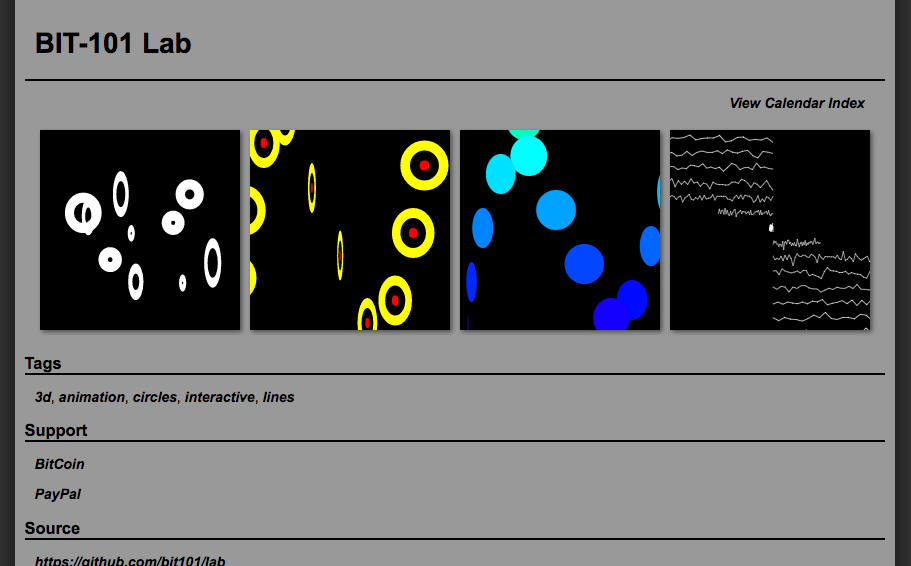
I just ticked off another feature on the BIT-101 Lab list. A visual index.
Back in the old Flash Lab the only way to find a specific experiment you wanted to look at again was to click through, one by one, trying to remember the approximate date and targeting items around that. I wanted to avoid that pain. The first thing I did was to add tags and the ability to search by tags. This should help a lot. But I think this visual index will help even more. You can just scroll until you see something that looks like the thing you want to check out, and click away. It will also be good for discovery, I think.
Read more... -
Beautiful Geometry

This weekend I was in a book store (remember those) and ran across this book – Beautiful Geometry.
A few minutes of looking at it, and I was on my way to the register to buy it.
Each chapter takes on a specific, interesting mathematical / geometric principle and takes a couple of pages to explore it. There’s a bit of history, some formulas, some images and diagrams and some practical uses.
Read more... -
Euclidea
I’m a math nerd. I’ve actually never had any real professional math training. I just like studying mathematical concepts and figuring out formulas. In particular, I like any math that can be graphically visualized. If it can be animated, all the better. Computers and math and graphics and animation – that’s the stuff right there. If you’re in the UK,
:s/math/maths/gRecently I ran across an Android app called Euclidea. And soon discovered that while naturally there is an iOS app, there is also a web site that has all the same content.
Read more... -
Back to Basics
TL;DR: Go here: https://bit101.github.io/lab/
Long time readers of this blog may recall what existed here before “blogging” was a thing – the BIT-101 Lab.
Back in the late 90’s / early 2000’s there were a bunch of people running Flash “experiment” sites. Basically, each day they would post some kind of visual, animated and/or interactive Flash piece, often open sourced. Josh Davis’s Praystation, Jared Tarbell’s Levitated, Robert Hodgin’s Flight 404 were some of my favorites. In August 2001 I decided to blatantly copy them… I mean… jump on that bandwagon. My site at the time was called “KP Web Design”. Sigh. I started doing some experiments and decided I needed a better domain, so I came up with bit-101 and moved all the experimental stuff over there. It went live on September 11, 2001. Yes, THAT September 11th. So nobody really noticed it for a while. But over the next four years I posted just shy of 700 open source Flash experiments that explored all kinds of neat techniques. The site won an award (FlashForward 2003 – Best Experimental Site) and really pretty much launched my career.
Read more... -
QuickSettings Version 3.0 released
I just pushed QuickSettings Version 3: https://github.com/bit101/quicksettings/releases/tag/3.0
I’m really happy with the changes in this version. I use QuickSettings myself all the time, so most of the changes stem very much from personal experience – seeing my own pain points and addressing them. The key motivation for changes in this release was making the library easier to use.
One of the annoyances I noticed was in getting values from a panel – you had to know what kind of control you were querying and use the correct get method, i.e.
Read more...getRangeValue(title)orgetColor(title)orgetText(title). And the same for setting values. Since the panel knows what kind of control it is setting or getting via the title, there was no reason to force the user to specify it. So all that is gone. All controls can be set or get withsetValue(title, value)andgetValue(title).
